
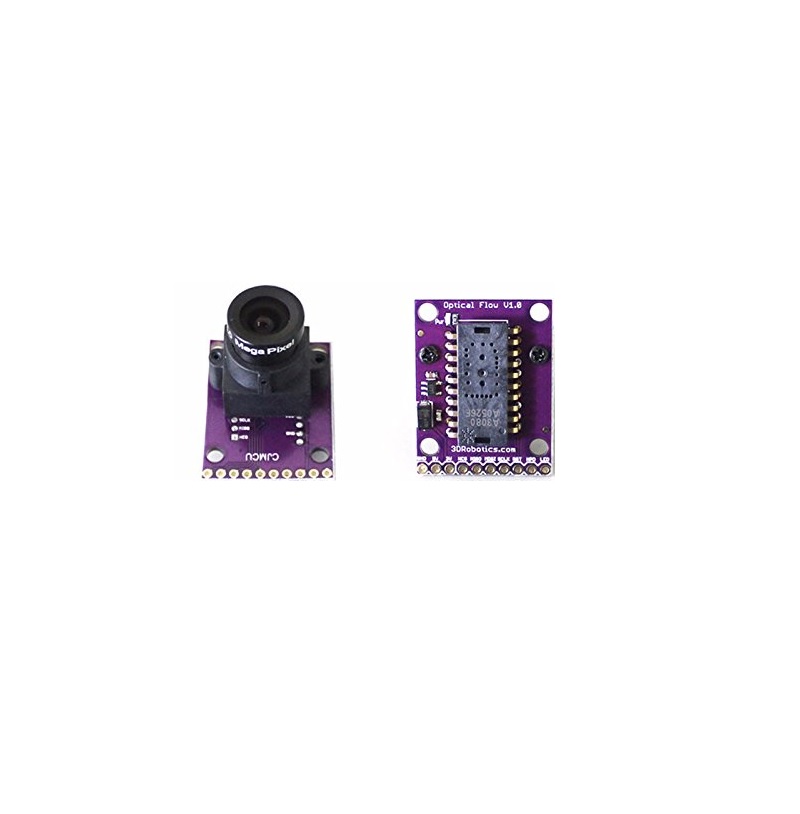
Optical Flow Sensor V1.0

Ask Our AI Assistant

Product Image
Working Principle

Description

The Optical Flow Sensor V1.0 uses the ADNS3080 mouse sensor to detect horizontal movement by capturing images and analyzing the movement of surface patterns. It is primarily used with APM2.5, APM2.6, and APM2.8 flight controllers for multicopters.

Sensor Types

ADNS3080

Dos And Donts

Donts

  • Avoid Close Objects: Do not use the sensor to focus on objects closer than 30cm as it has a fixed-focus lens.,
  • Prevent Rotation During Use: Avoid rotating the sensor during operation as it can confuse the sensor.

Dos

  • Ensure Good Lighting: The sensor only works in well-lit environments, so ensure the area is adequately illuminated.,
  • Remove Protective Film: Remove the protective film from the lens before use to ensure clear sensor functionality.,
  • Use In Appropriate Applications: Utilize the sensor in suitable applications such as Vehicles & Remote Control Toys, and Remote Control Peripherals/Devices.
Limits

Focus Limitation

  • Description: The sensor cannot focus on objects that are closer than 30cm due to its fixed-focus lens.

Lighting Requirement

  • Description: Requires well-lit environments to function properly.
How To Connect

Steps

  • Add Url To Ide: Go to Arduino IDE, open File Menu, go to Preferences, and add the URL to 'Additional Boards Manager URLs'.,
  • Install Library: In Arduino IDE, go to Tools, select Manage Libraries, and install the 'ADNS 3080' library.,
  • Upload And Run Code: Copy the code from the provided link, paste it into your Sketch file, select the correct COM port and baud rate, compile and run the program, then observe the output on the Serial Monitor while moving the sensor in front of a light or display.
Dimensions

Sensor Dimensions

35 x 25 x 30 mm

Shipping Dimensions

4 × 3 × 3 cm

Shipping Weight

0.02 kg